UCLA BruinLife — Customer Profile and Mobile Redesigns
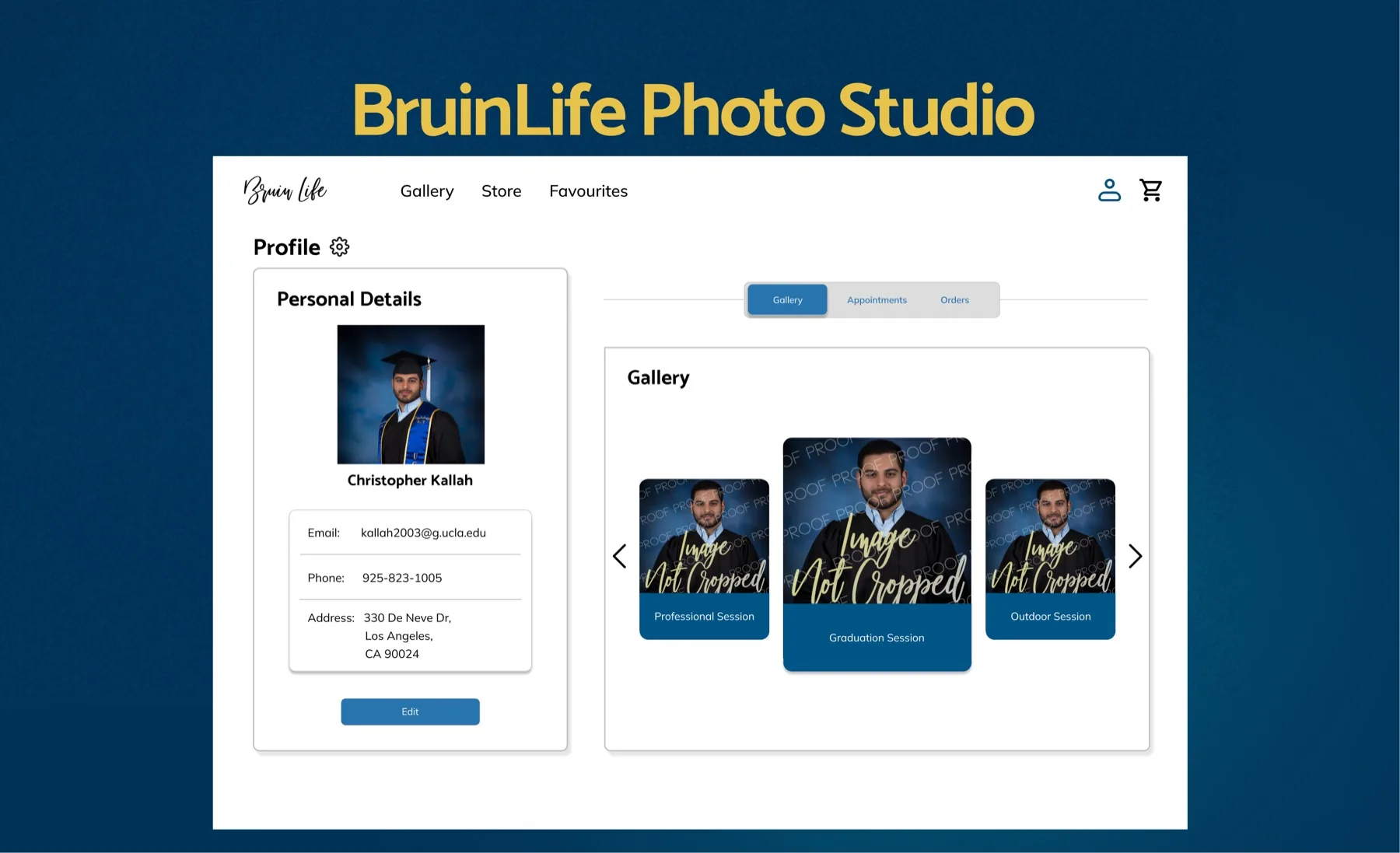
Founded in 1919, BruinLife is UCLA’s most historical, all-inclusive publication on campus, and its second-largest. BruinLife Photo Studio is its year-round professional photo studio, run by the BruinLife Marketing Group. Students come through for everything from grad portraits to passport photos.
As a designer on a team of three designers and one developer, I restructured the customer profile view for clearer information hierarchy and designed new, accessible mobile flows across essentially the entire site, from March to June 2026.
At a GlanceBefore & After
Drag to compare the customer profile before and after the redesign. Same features, one clear structure.
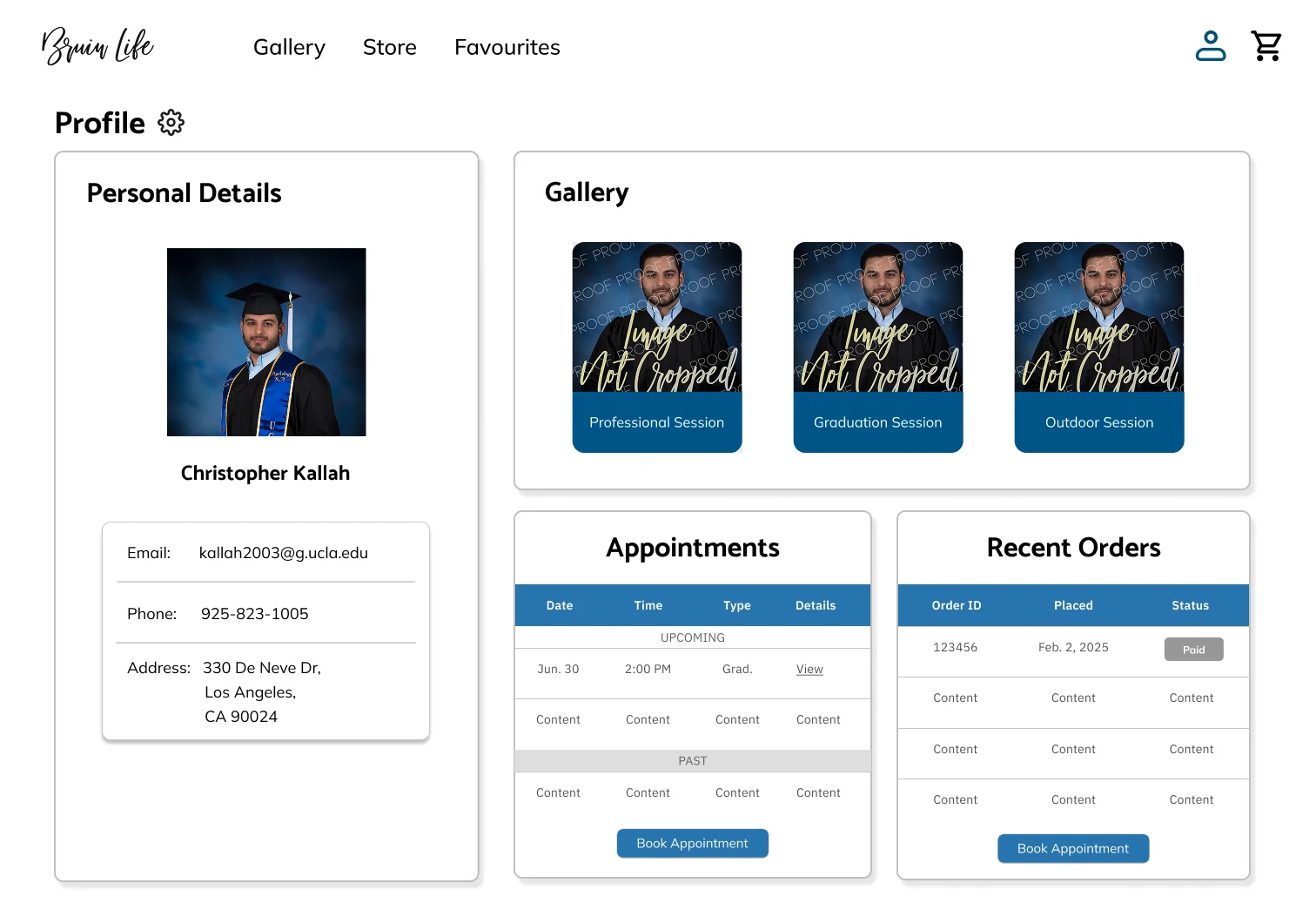
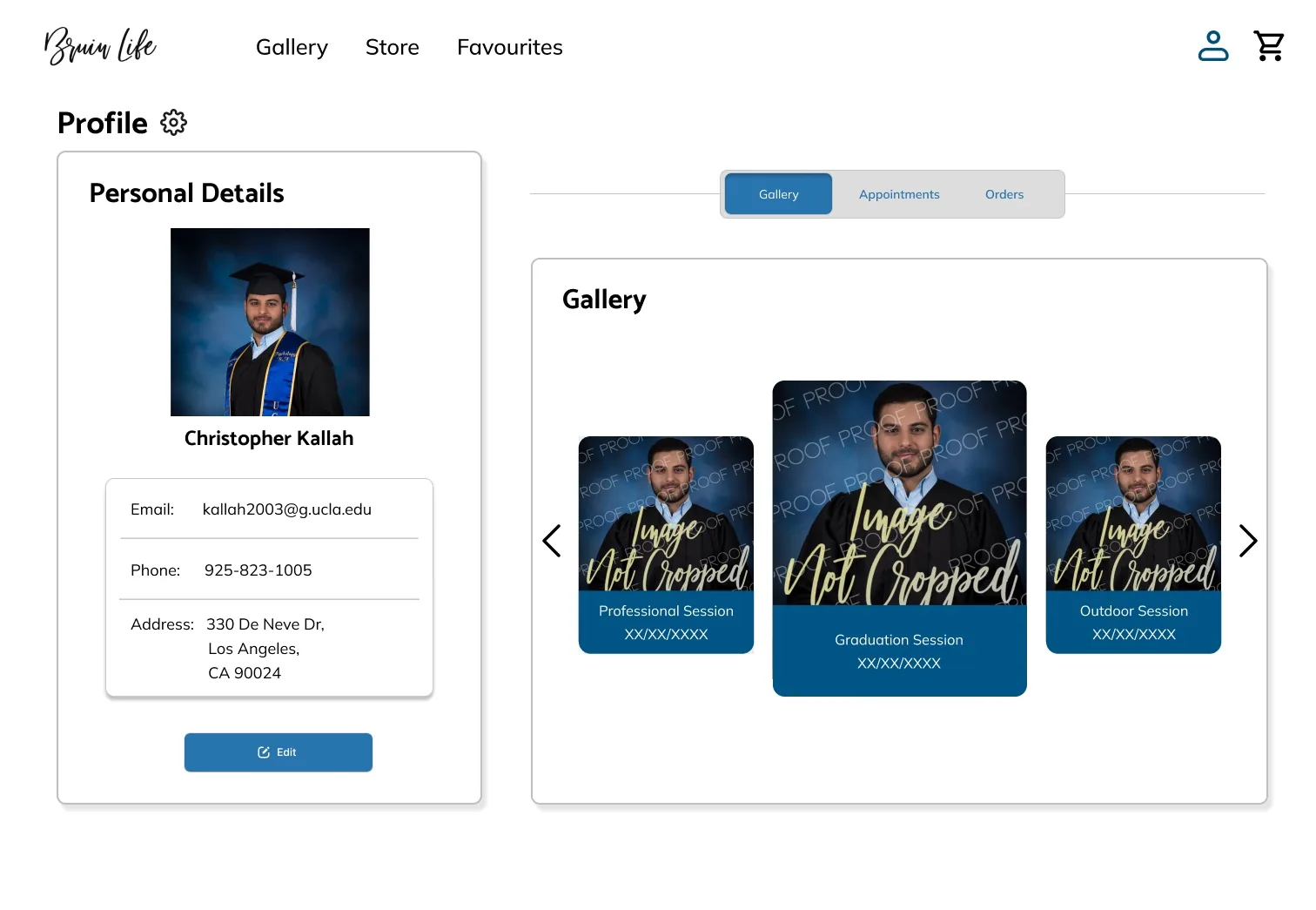
The difference is mostly structure, not styling. Here’s what was broken, and what we looked at to fix it.
The ProblemEverything, All at Once
The studio’s existing designs made it harder than it needed to be for students to find and use its core features. Our team set out to simplify that experience end to end, from how the interface was structured to how it worked on mobile.
Before: Inconsistent, Hard-to-Use Interface
Inconsistent Flows
Button sizes and interaction patterns varied from screen to screen, making the site feel disjointed rather than one cohesive product.
Undersized Key Sections
Some of the most important parts of the interface were sized too small, making them easy to miss or hard to use.
Incomplete Mobile Flows
Several core flows were missing or broken on mobile, making the site difficult to use on a phone.
The Old Profile
The profile page is a good example of where this showed up. Personal details, the photo gallery, appointments, and order history were all crammed into one dense view with little visual hierarchy, making it hard to find anything at a glance.
ResearchBorrowing From Wave and Atlassian
To ground the redesign in patterns that already work well, I looked at how other platforms structure customer and profile views, rather than just re-skinning what BruinLife already had.
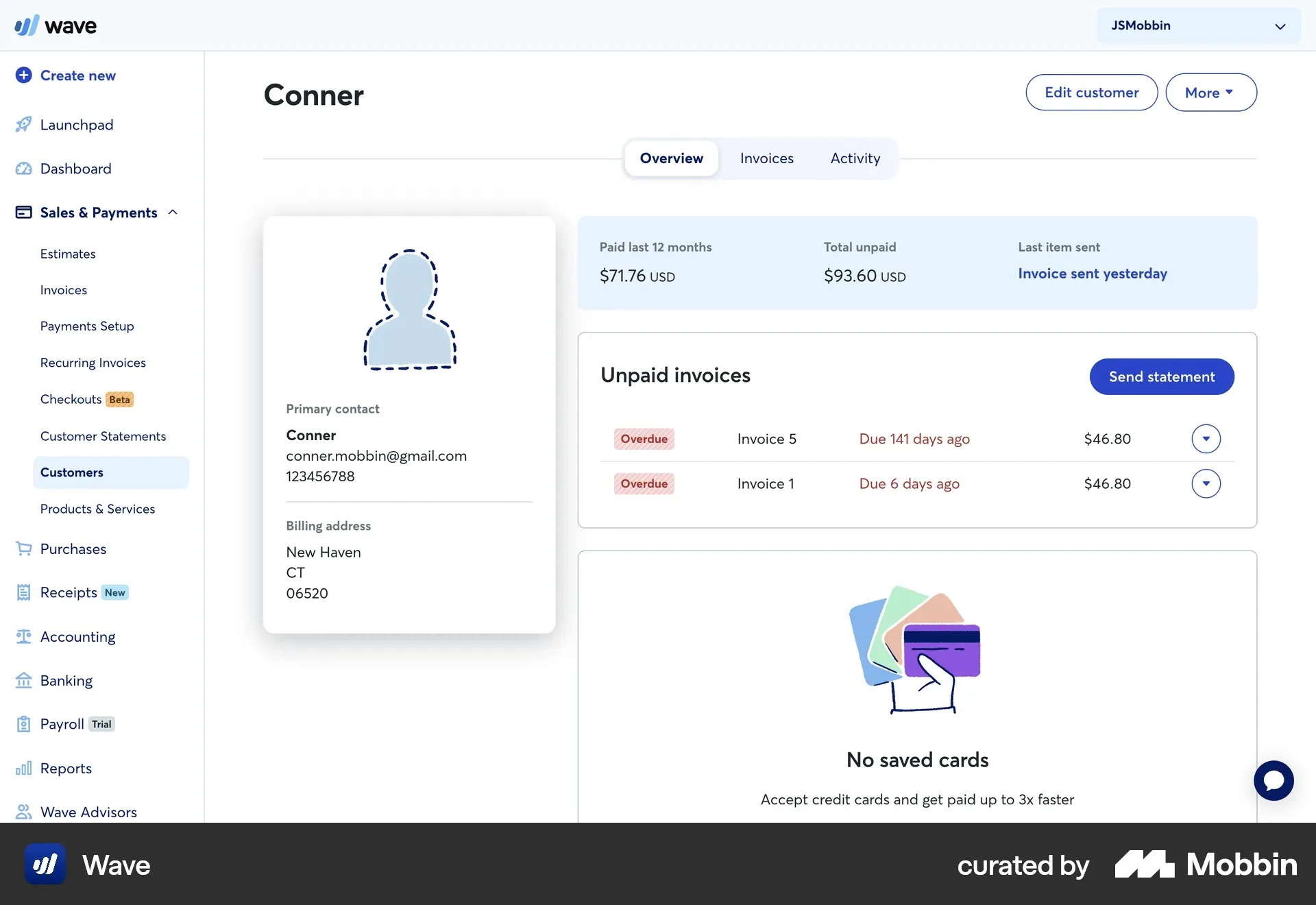
- Wave (accounting and invoicing) puts a customer’s identity in a compact card, with account status in a summary bar and overdue invoices clearly flagged. Key actions stay visible at all times.
- Atlassian’s team directory does the same for people: identity and contact info in a focused card, with recent, time-sensitive work in its own clearly labeled activity feed.
Wave Customer Page
Atlassian Team Profile
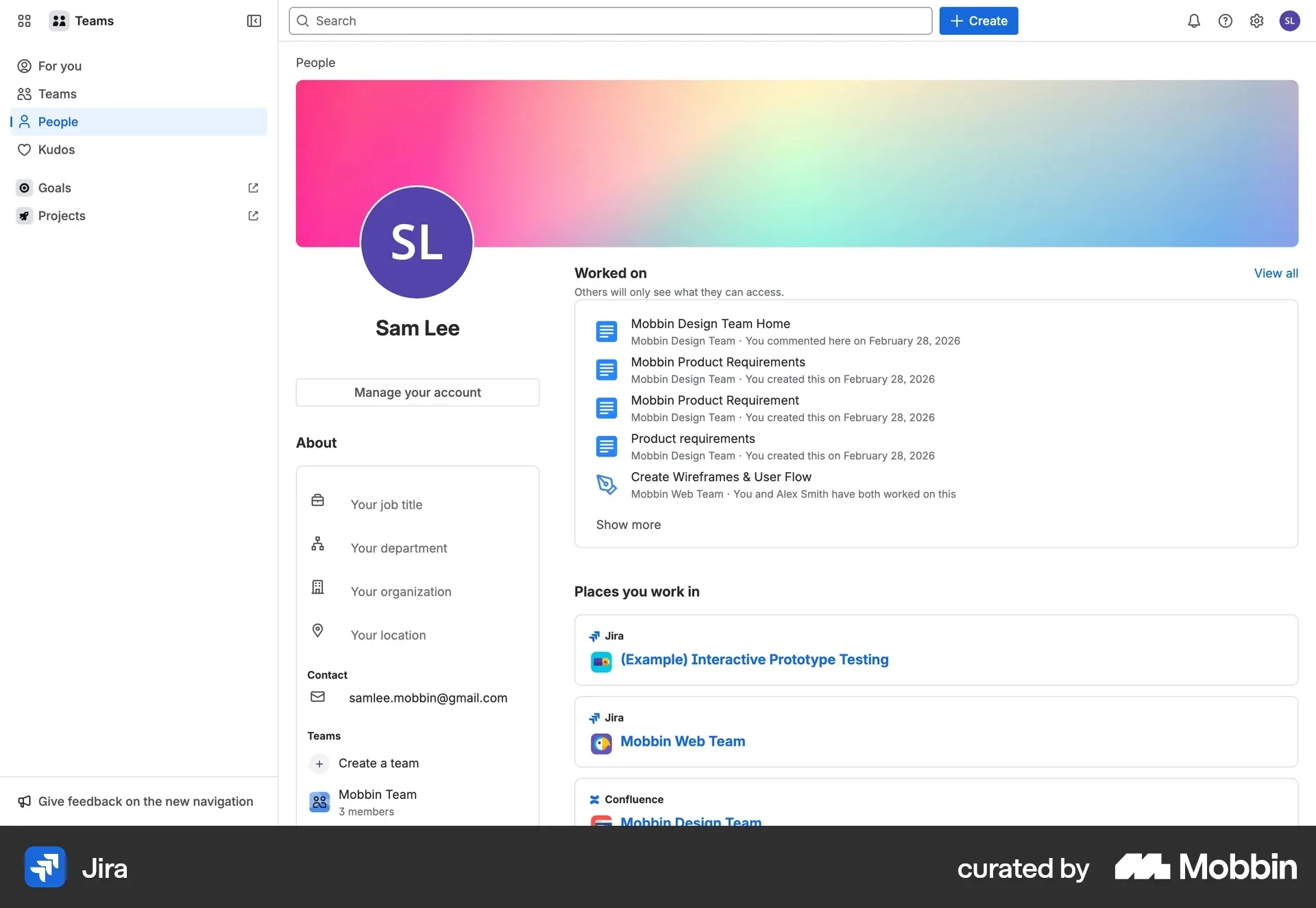
The old BruinLife profile did the opposite, stacking personal details, gallery, appointments, and orders into one dense view. That contrast pointed us toward restructuring the information hierarchy instead of cleaning up the existing layout in place.
The SolutionStructure First, Then Mobile
A Clearer, More Consistent Interface
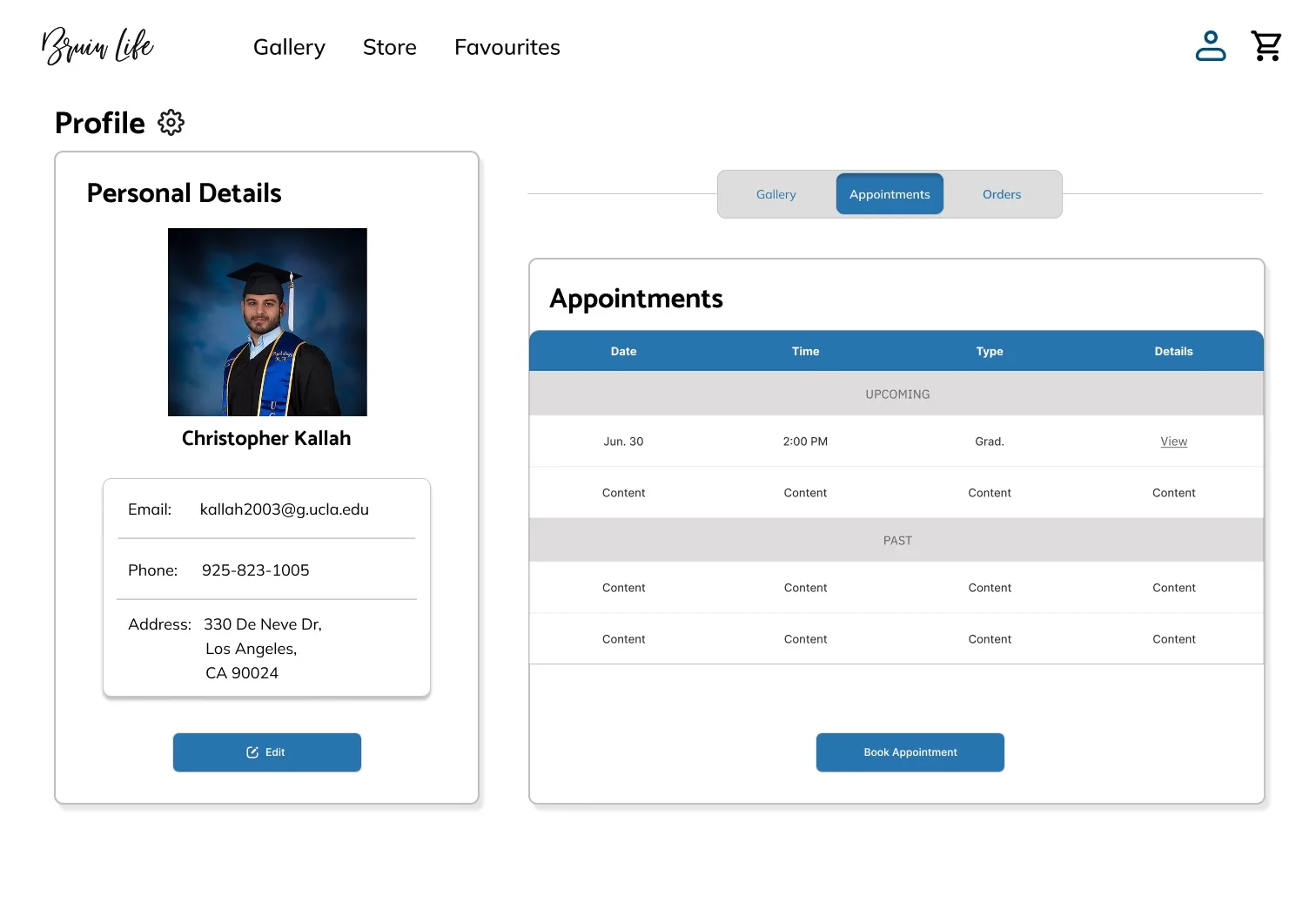
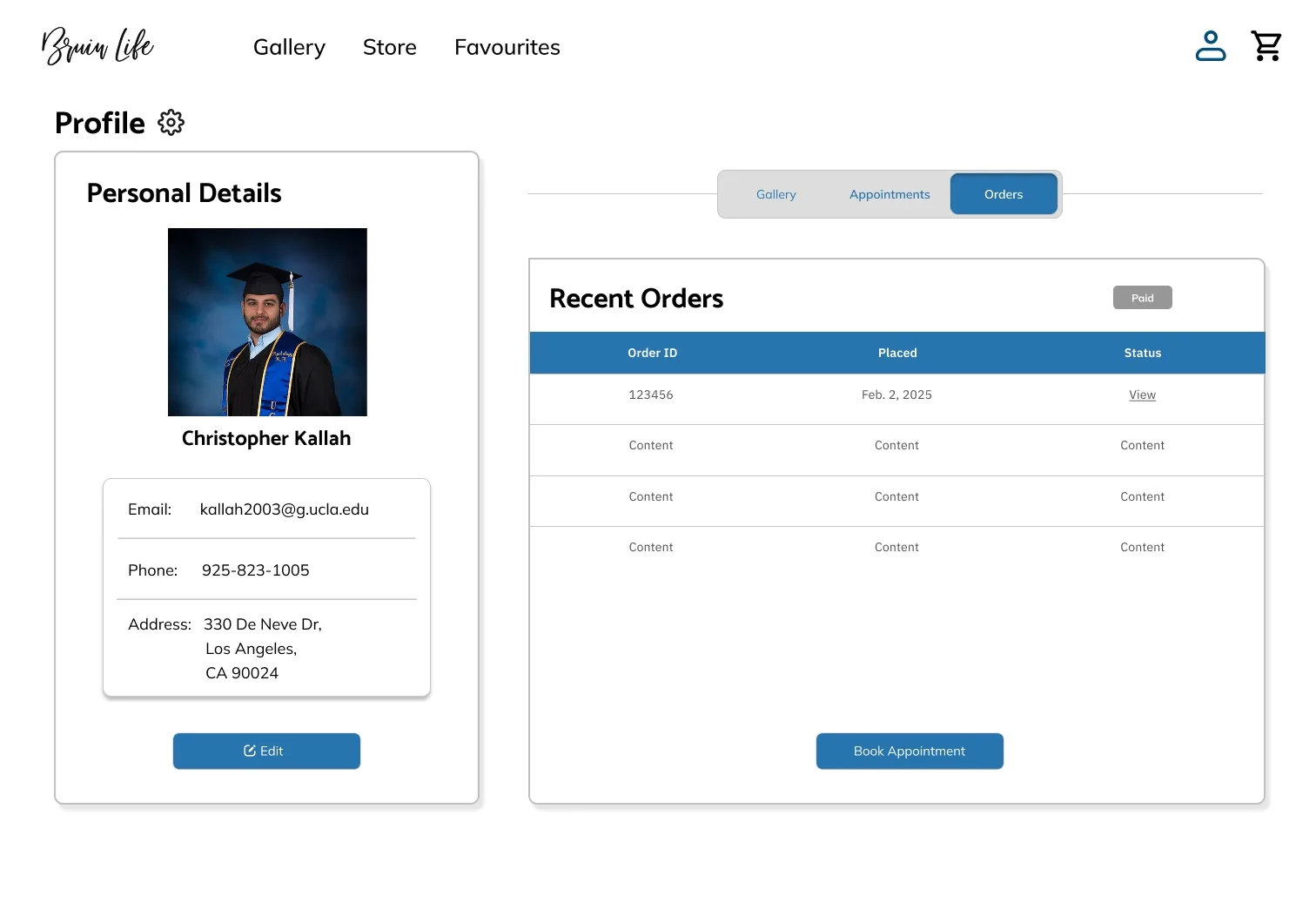
- Rebuilt the profile around the hierarchy our research pointed to: personal details get a focused space, while appointments and order history move into clearly separated sections.
- Standardized button sizing and interaction patterns across the site, so it feels like one product instead of screens stitched together.
Mobile Flows, Built From Scratch
Several core flows barely existed on mobile, so I designed new, accessible mobile versions of profile management, booking, and browsing photo sessions, instead of just shrinking the desktop layout.
Final DesignsA Profile You Can Navigate
Arrows, Pages or Tabs?
A key decision was how students move between Gallery, Appointments, and Order History. We weighed three options:
- Arrows only: cleaner, but students couldn’t see what each section was called.
- Buttons to separate pages: worked, but meant a full page load just to check an order status.
- A tabbed bar (chosen): shows all three at once and switches instantly without leaving the page.

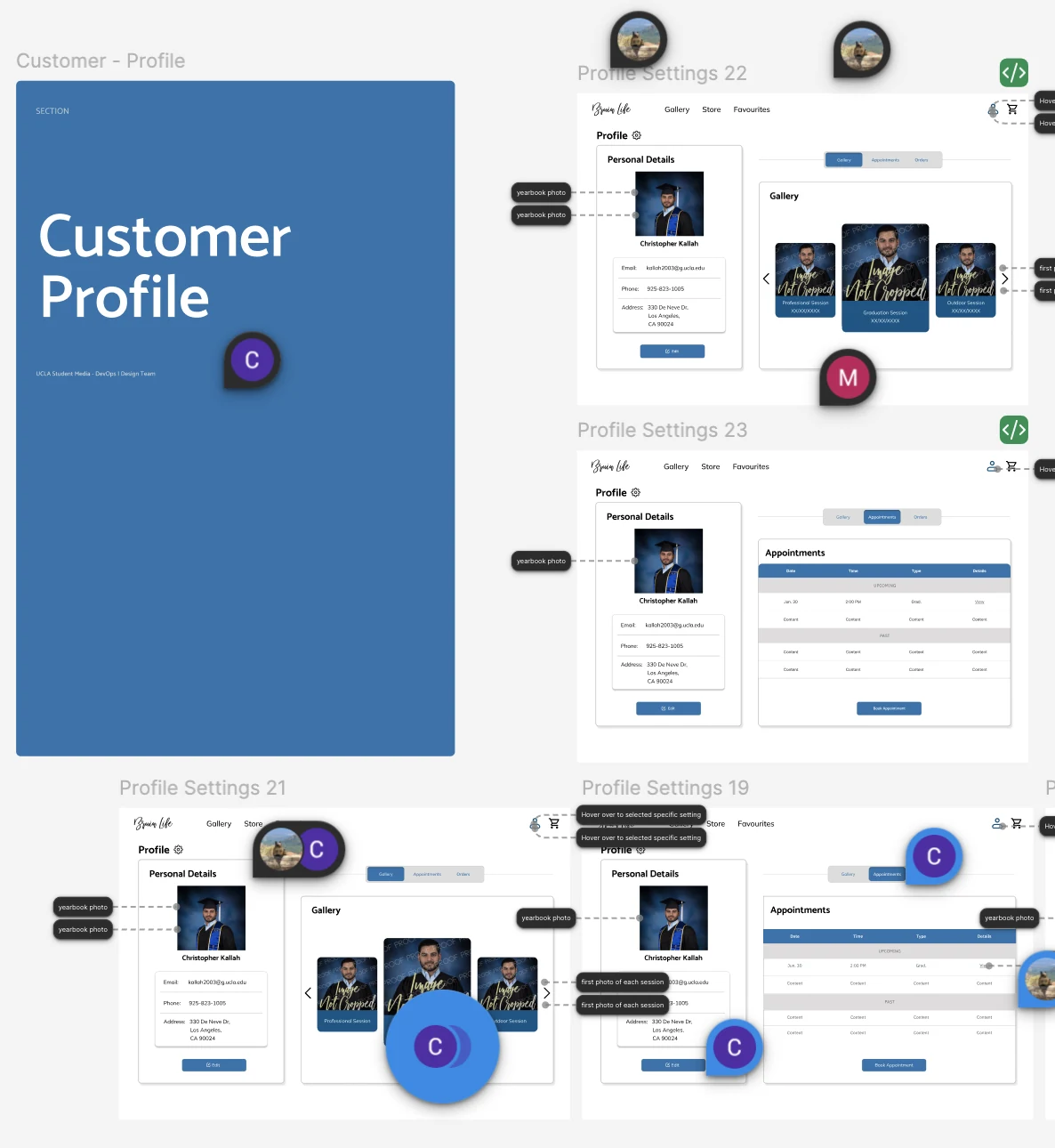
Customer Profile
A primary focus of mine was the customer profile, where students manage their details and browse photo sessions.
- Before: gallery, appointments, and order history as three stacked panels, all visible at once.
- After: one layout organized around the tabbed bar, with cohesive button sizing and type, so actions like Edit and Book Appointment read as one system.
Gallery Tab
Appointments Tab
Orders Tab
Built for Mobile
Beyond the profile view, I designed new, accessible mobile flows across essentially the entire site, reworking core user flows so they were easier to navigate on mobile specifically.
Profile Navigation
On mobile, I went through a couple of passes on how to handle navigation between Profile, Gallery, Appointments, and Orders. The first version kept Personal Details pinned at the top of the screen, with Gallery, Appointments, and Orders in a secondary tab row below it.
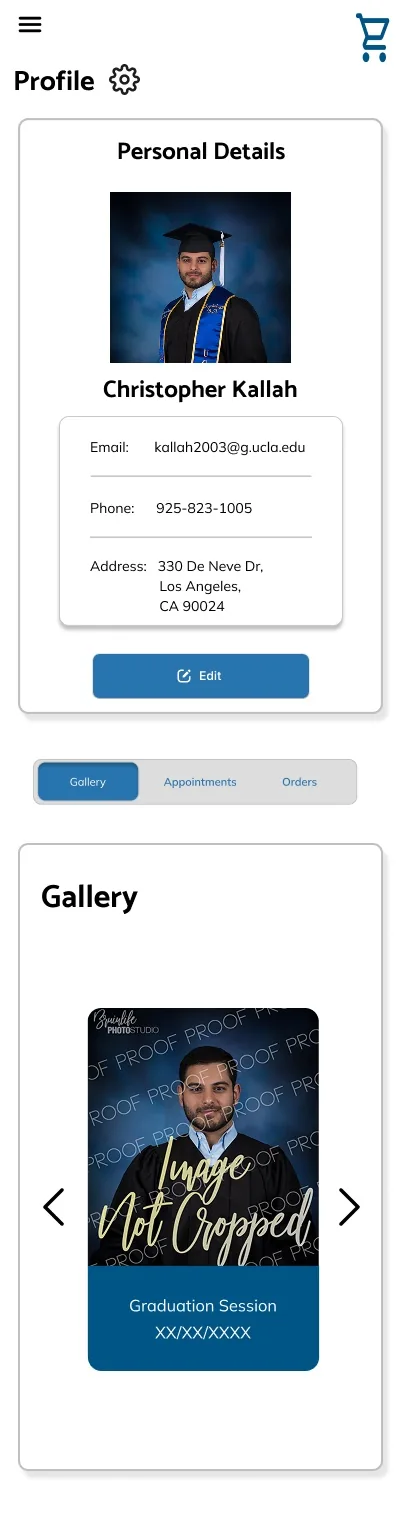
Gallery
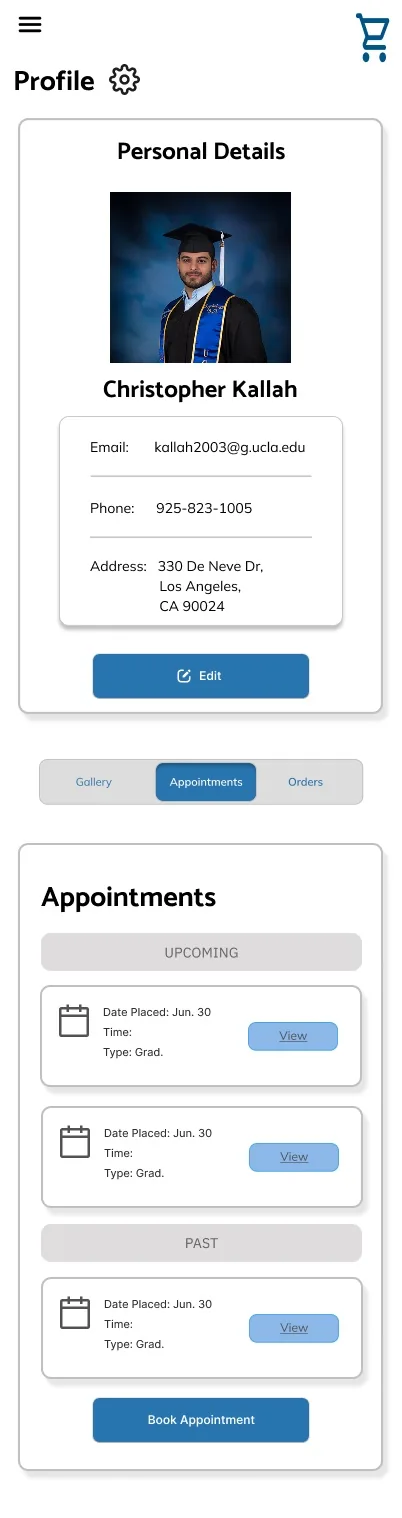
Appointments
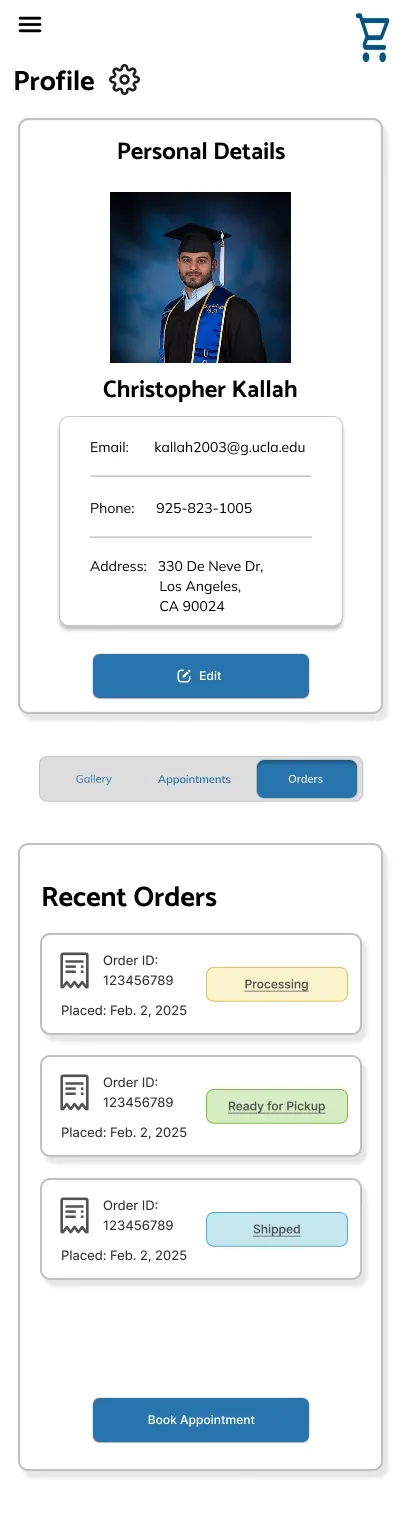
Orders
In the final version, I moved to four equal tabs, Profile, Gallery, Appointments, and Orders, so switching between any section, including the student’s own profile info, worked the same consistent way.
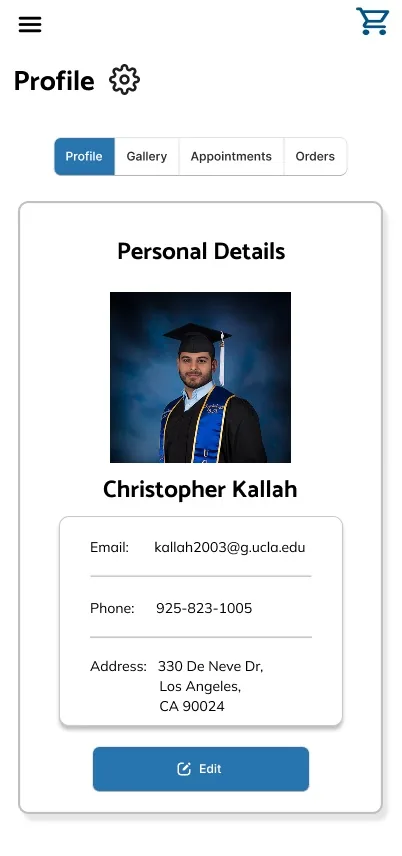
Profile
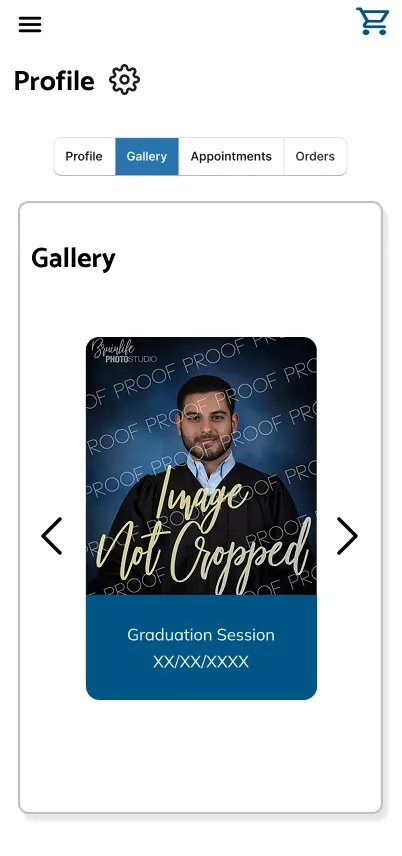
Gallery
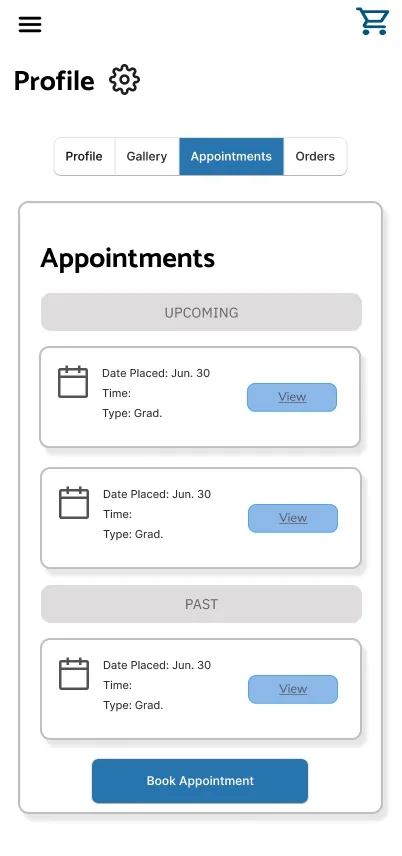
Appointments
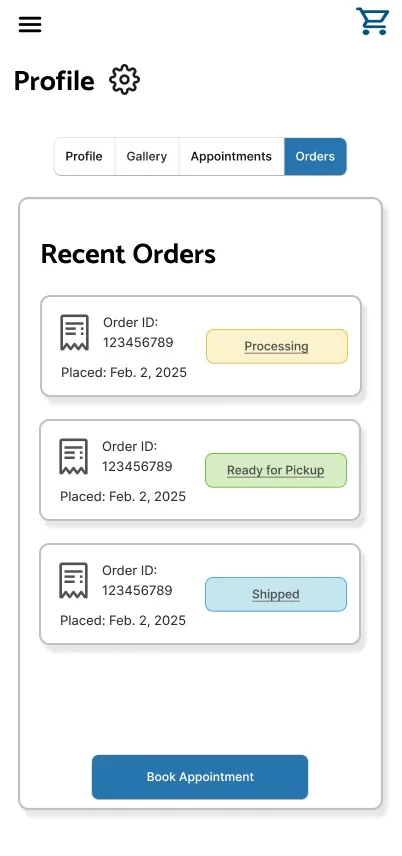
Orders
Compare Photos
A mobile-first feature for comparing proof photos side by side before buying:
- Select up to two photos from the gallery grid; Compare Photos activates once two are chosen.
- Each photo has its own detail view with Favourite and Buy Photo, so students can act on one photo without comparing.
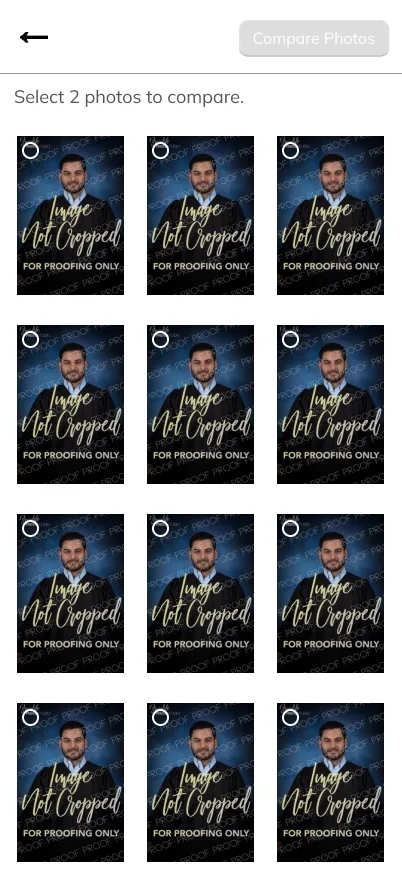
Browse Gallery
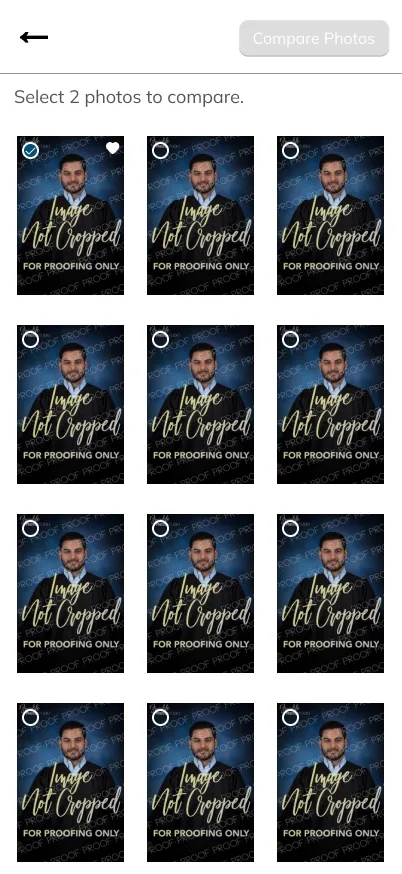
Select First Photo
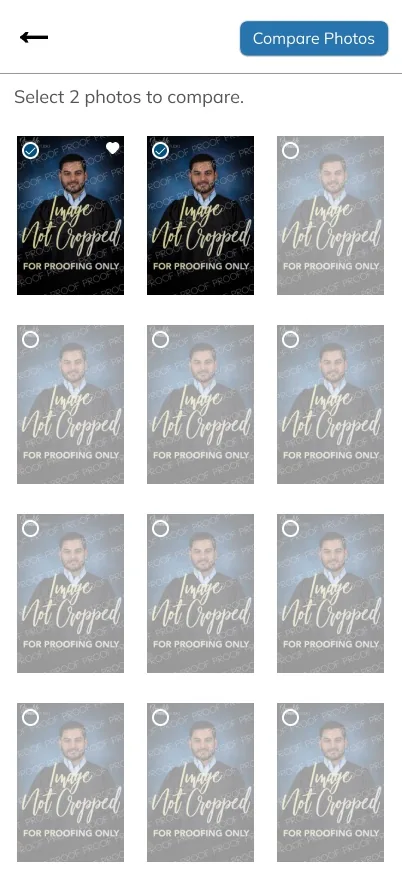
Ready to Compare
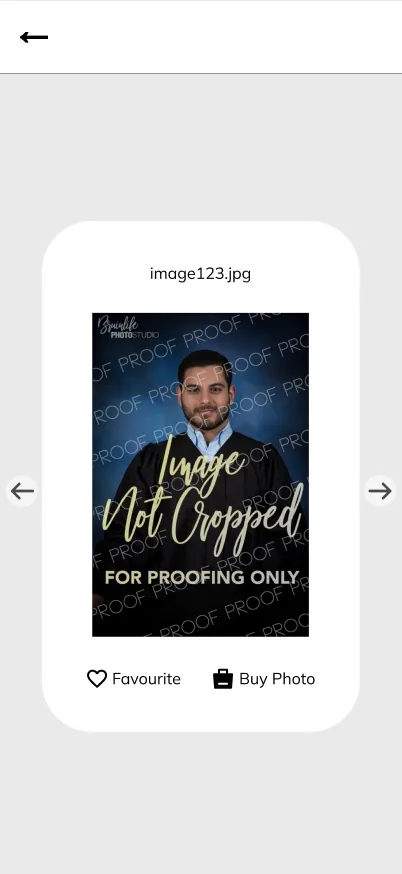
Photo Detail
Appointment Details
Tapping into an individual appointment surfaces everything a student needs before their sitting: the appointment details, a summary of their profile info, and a tabbed section for sitting prep (including a short video) and studio policies like the cancellation window and no-show fee, so students don’t have to search elsewhere for this information.
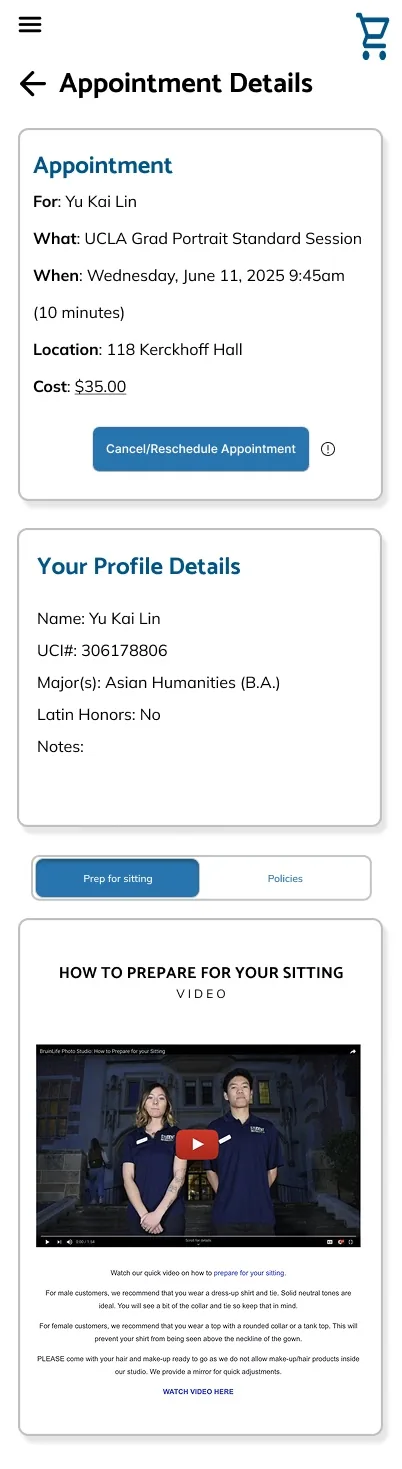
Prep for Sitting
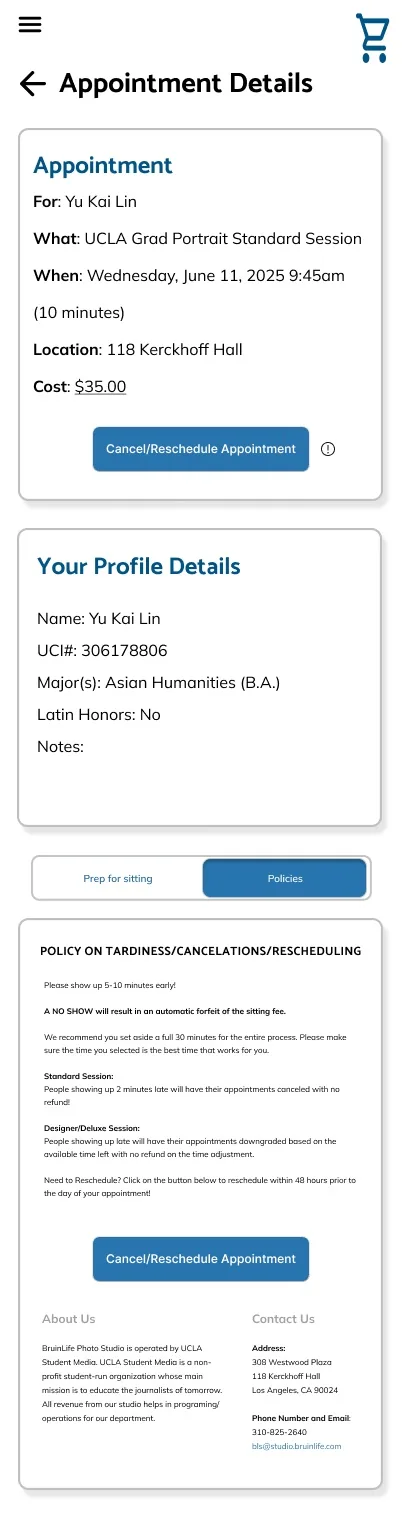
Policies
Order Management
I also designed a mobile order-management view for studio staff, letting them search and filter through orders by status (Paid, Processing, Cancelled, Completed, Pending) and drill into a single order to see buyer contact info, billing address, and a full line-item breakdown, including retouching add-ons and package contents.
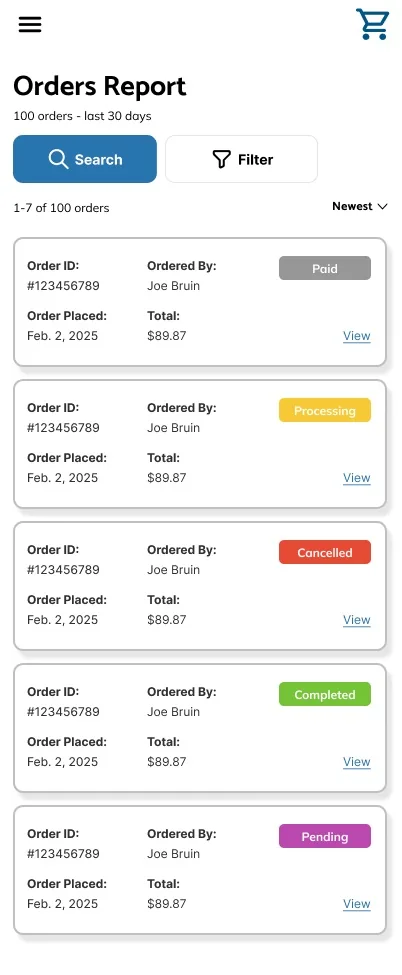
Order Report
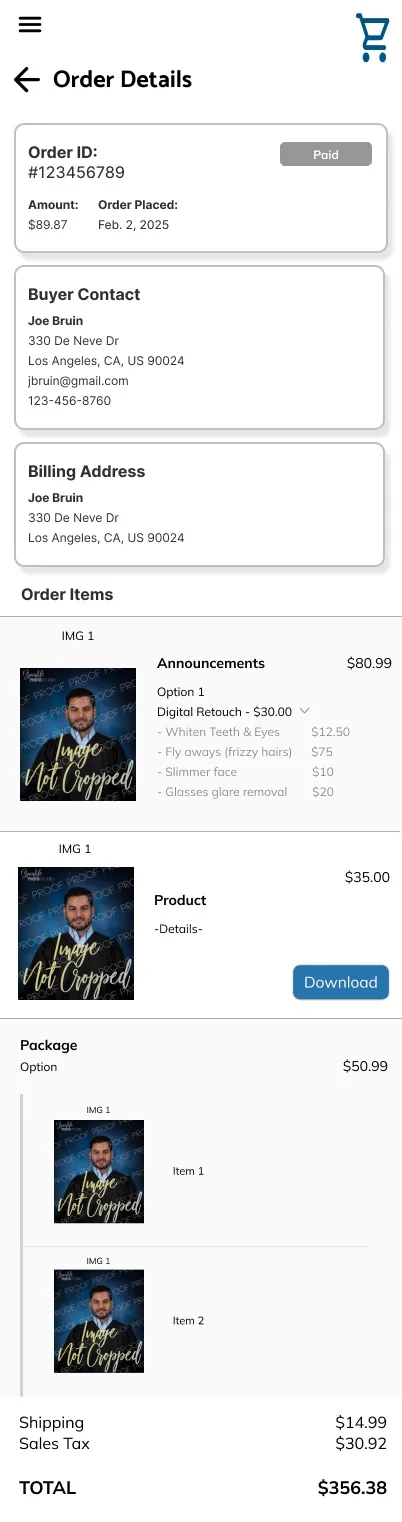
Order Detail
Account Settings
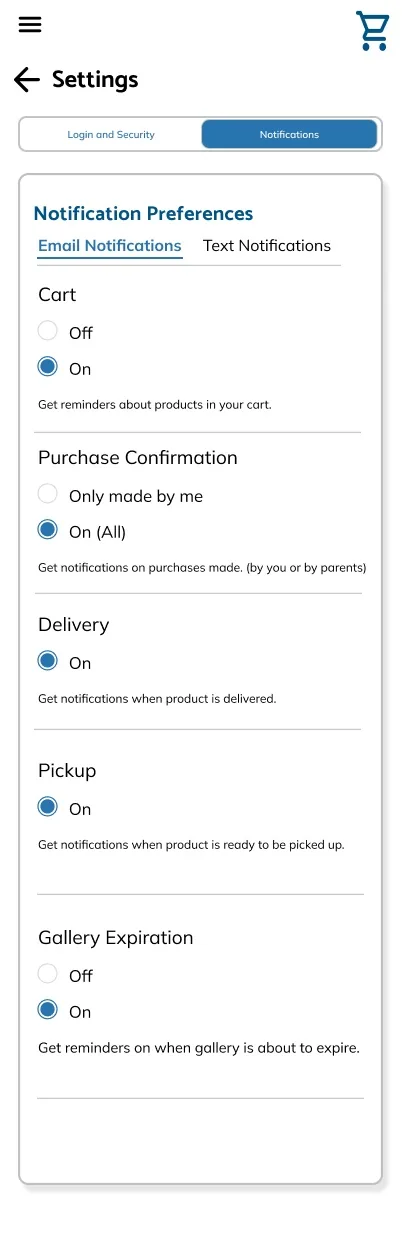
Account settings were split into two focused tabs instead of one long form: Login and Security for name, contact info, and password, and Notifications for granular preferences across cart reminders, purchase confirmations, delivery, pickup, and gallery expiration alerts.
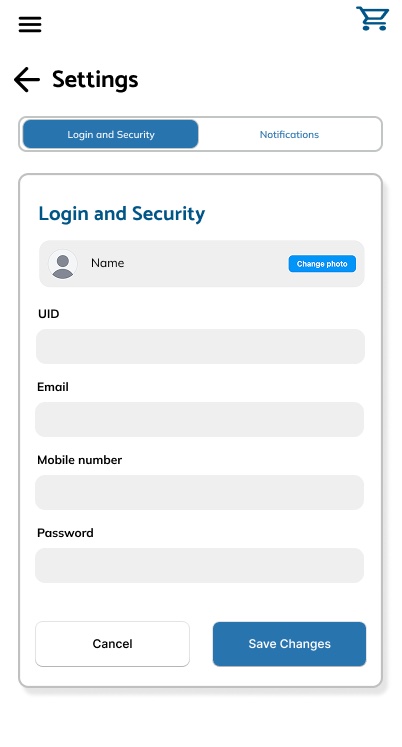
Login & Security
Notifications
TakeawaysWhat a Live Redesign Taught Me
Discoverability Over Minimalism
I learned that minimalism can work against usability if I’m not careful. Arrows-only navigation looked cleaner, but it hid what sections even existed until a student tapped through them. Choosing the busier, more obvious tabbed bar taught me to weigh visual restraint against how easily people could actually find what they needed.
Mobile Features, Not Just Mobile Layouts
Designing Compare Photos taught me that a good mobile feature isn’t just a shrunk-down desktop one, it has to be built around how people actually hold and tap through a phone. I learned to start from mobile behavior first, picking two proofs side by side, then acting on one, rather than adapting an existing desktop flow down to a smaller screen.
Consistency Is a Trust Signal
I learned that consistency carries more weight than any single redesign. The old site’s biggest issue wasn’t one screen, it was that nothing matched: button sizes, type treatments, and interaction patterns all varied by section. Fixing that across the profile and every mobile flow showed me how much unglamorous, structural work like that shapes how professional a product feels.
ConclusionEvery Change Earns Its Place
BruinLife Photo Studio is a product students already rely on, so every change had to earn its place next to a system with real history and real users. Balancing structural cleanup with new mobile flows, on a team of three designers and one developer, taught me how much groundwork consistency takes before a redesign feels obviously better, not just different. Thank you to the design and dev team for the collaboration throughout.
Looking ahead, I’m excited to keep working on future projects with Bruin Student Media, continuing to improve its websites for the students who rely on them.