Fitty
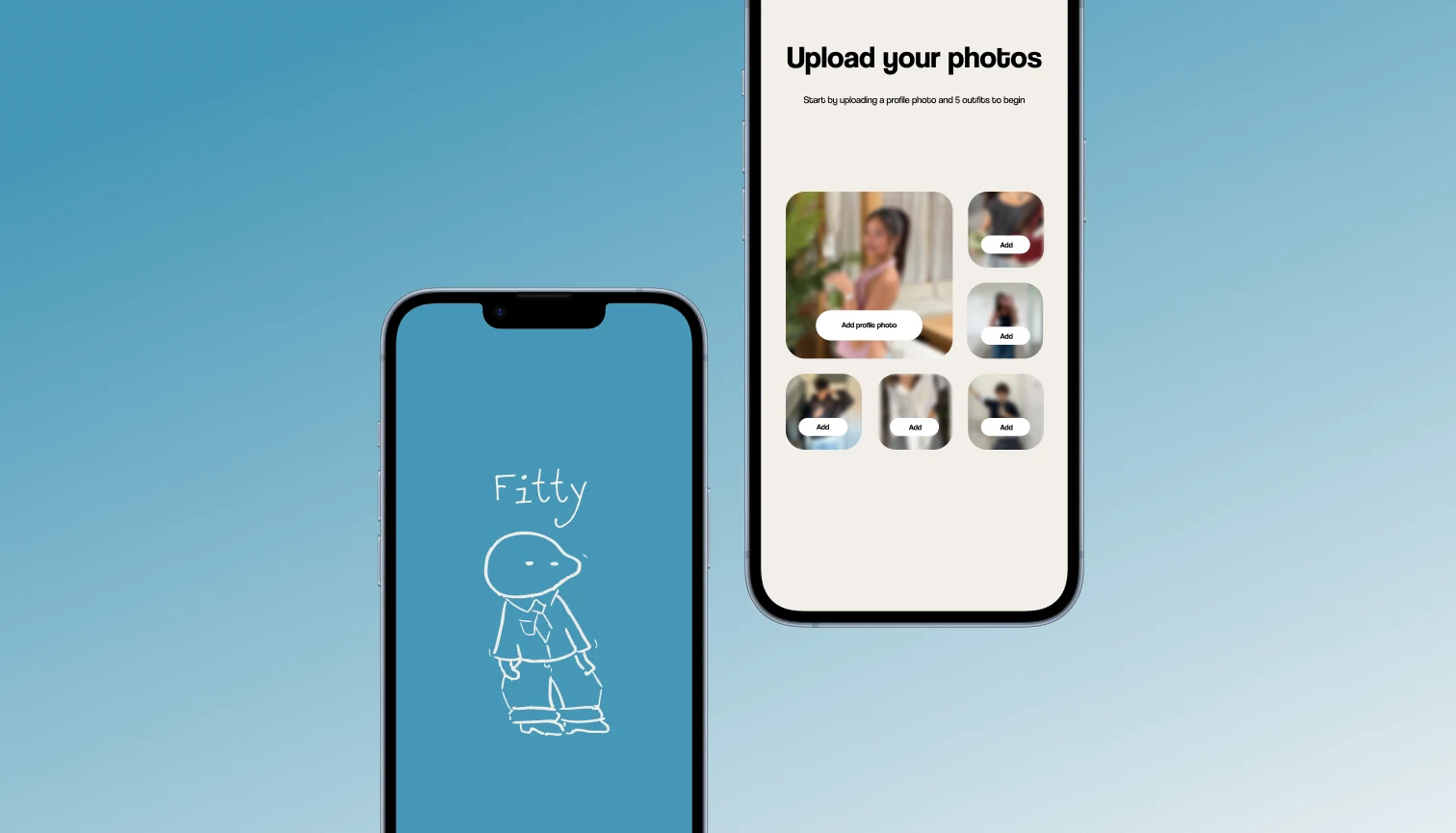
Fitty is a social styling app that helps you organize your wardrobe, generate outfit ideas from clothes you already own, and discover inspiration from your friends’ outfits. No more staring at your closet wondering what to wear!
As a designer across a nine-week sprint, I owned the closet and onboarding flows end to end, from initial wireframes through high-fidelity screens. On branding and the feed my role was narrower: I contributed design opinions and detail work, while direction on those two areas was driven by the rest of the design team.
The ProblemClosets Full, Nothing to Wear
People repeatedly buy clothes they don’t wear and forget the outfits they already liked.
Current solutions aren’t able to solve both problems at once:
Photos Are Unorganized
Outfit photos get buried in camera rolls with no easy way to reference or rediscover them later.
Closet Apps Feel Like Chores
Existing wardrobe trackers require too much manual upkeep, making them tedious to maintain and easy to abandon.
Social Apps Inspire But Aren’t Organized
Platforms like Instagram spark outfit ideas but offer no way to save, sort, or apply that inspiration to what you actually own.
Overspending From Not Knowing What You Have
Without a clear view of their wardrobe, people default to buying new clothes instead of rediscovering what they already own.
The SolutionYour Fit Pics, Finally Organized
The Insight
Most people already take fit pics. They just have nowhere good to put them. Fitty meets users where they already are.
Fitty turns those everyday photos into a searchable digital closet, powered by an AI tagging system that automatically categorizes your clothes and surfaces outfit recommendations based on what you already own. No manual logging, no chore, just your wardrobe finally working for you.
ResearchNo App Does It All
A Growing Market
The wardrobe and personal styling app market is growing fast and shows no signs of slowing down. With the global market nearly doubling by 2032, there’s a clear and expanding demand for smarter, more personal ways to manage what people already own.
The Gap Fitty Fills
No single competitor covers the full picture. Existing apps either focus on organization without social features, or offer inspiration without structure. Fitty is the only app that combines easy photo-based logging, AI outfit suggestions, and a social feed, all in one place.
BOOK

BrandingA Mark With Personality
Logo
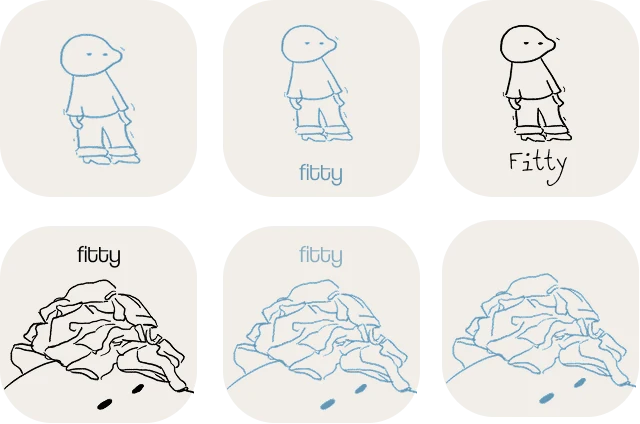
The Fitty logo went through several iterations before landing on the final mark. Early explorations focused on finding a wordmark that felt friendly and modern, with a visual identity that could stand on its own and be instantly recognizable across the app.

IdeationOne Tap Beats a Chat Window
My focus during ideation was the closet, the core of everything Fitty does. Three goals shaped it:
- An effortless closet: easy to build and browse, surfacing the right outfit at the right moment.
- The “I Don’t Know What to Wear” button: a single tap that cuts through decision fatigue and generates an outfit from what you already own.
- A recognizable identity: like BeReal or Beli, a distinct visual style and one clear “thing” people bring up in conversation.
The Idea We Dropped
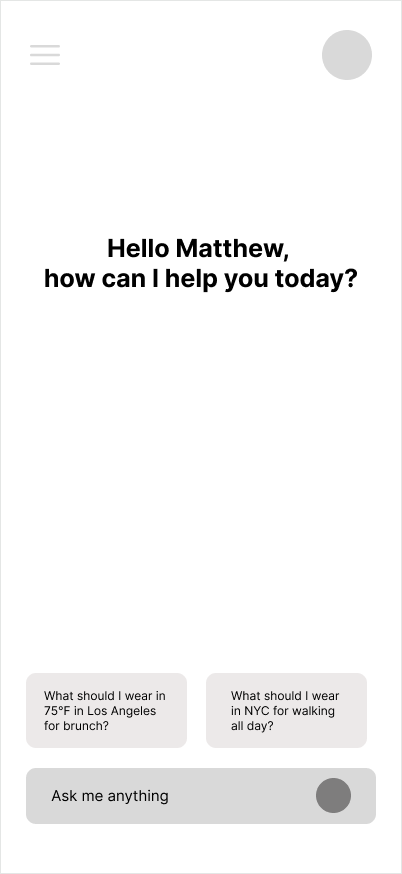
Before the single-tap button, we prototyped a full chat interface: ask “What should I wear in 75°F for brunch?” and get an AI answer. It solved the same problem, but typing a question took longer than opening the closet and tapping once, so we dropped it for the button.
Rejected: Chat-Based Concept
Early Pass: Closet & Button
Lo-Fi WireframesPressure-Testing the Closet
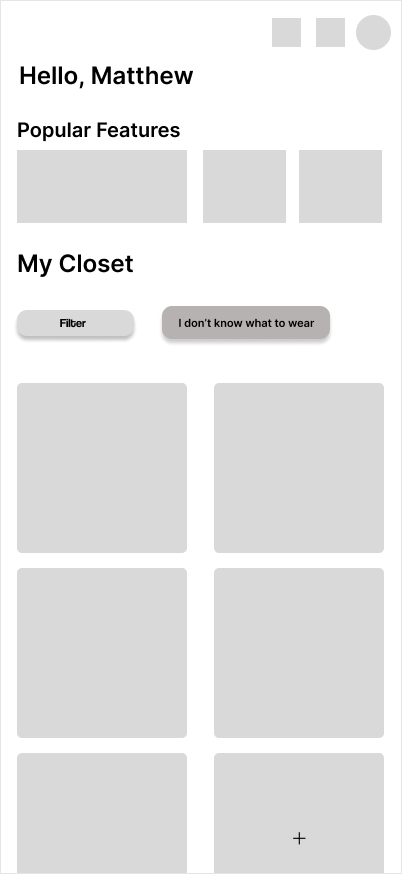
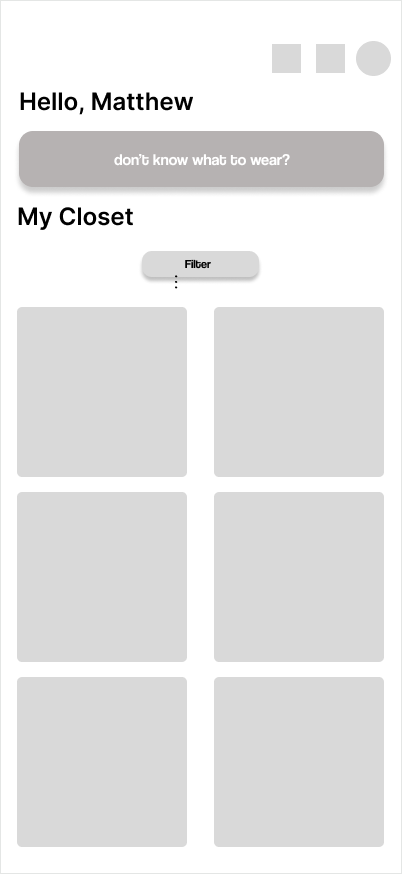
Closet & Filters
Closet
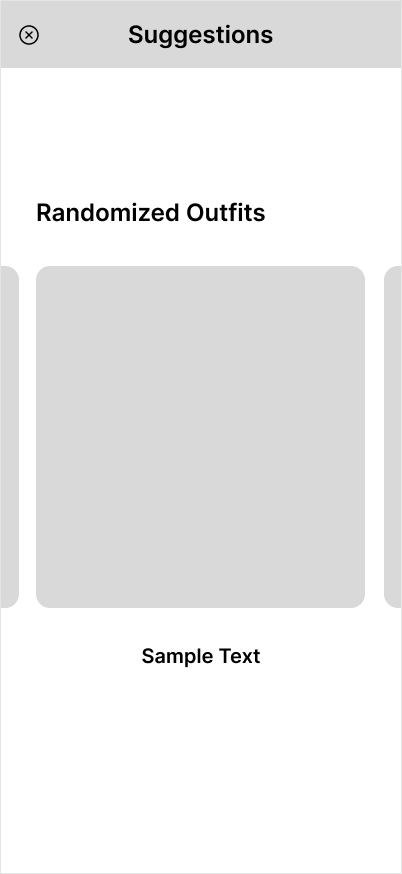
IDK Pop-Up
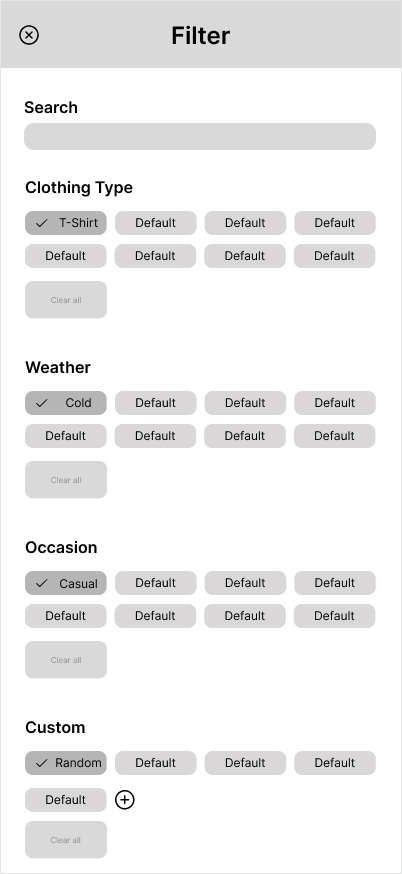
Filter
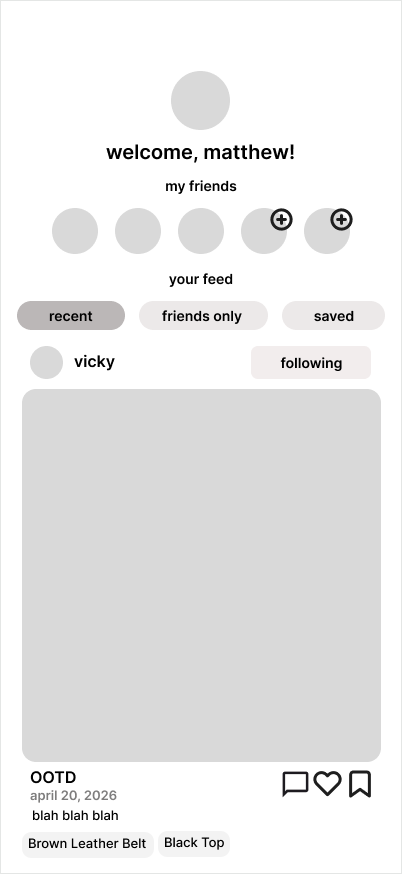
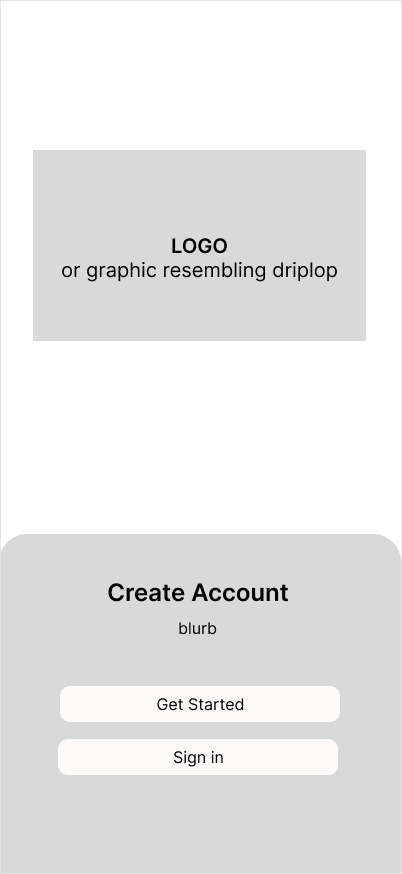
Onboarding & Feed
Feed
Onboarding
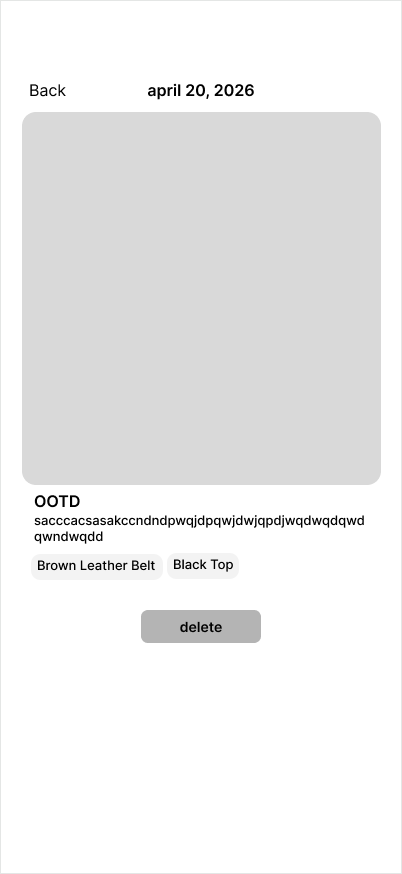
View Outfit
Tagging, First Pass
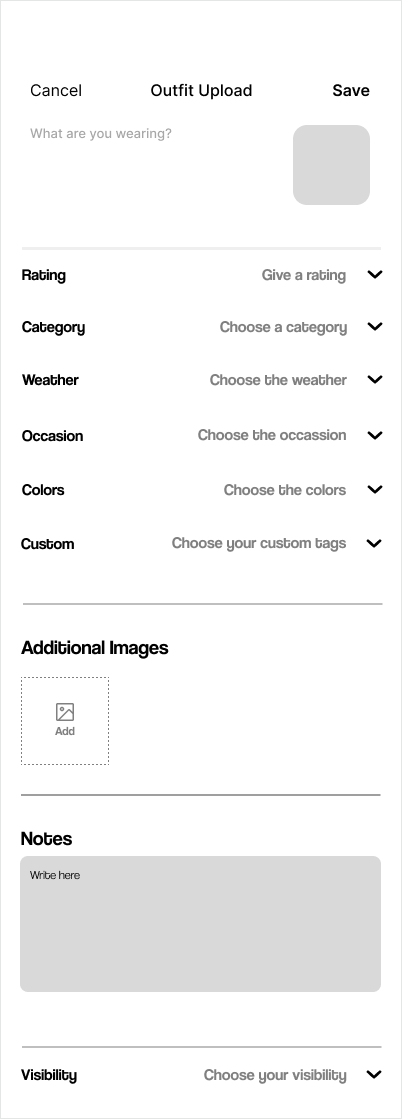
- Goal: fast, low-effort tagging, with the likeliest tags up front so users confirm instead of build.
- Tension: too many required fields and people quit; too few and closet search stops working.
- Outcome: the groundwork for AI-suggested tags, pre-filled from the photo.
Mentor Feedback
Two notes that reshaped the app.
Make the “I Don’t Know What to Wear” button the centerpiece, not a feature tucked into the closet.
The closet, feed and AI features felt like separate products. Make every screen feel like one app.
Our Plan
The Button
More prominent, and visibly AI, so users know what it does before tapping.
Closet Filters
A faster, more intuitive layout for finding a piece.
AI-Suggested Tags
Building a wardrobe that feels effortless, not like a chore.
Final DesignsBuilt Around One Button

Onboarding
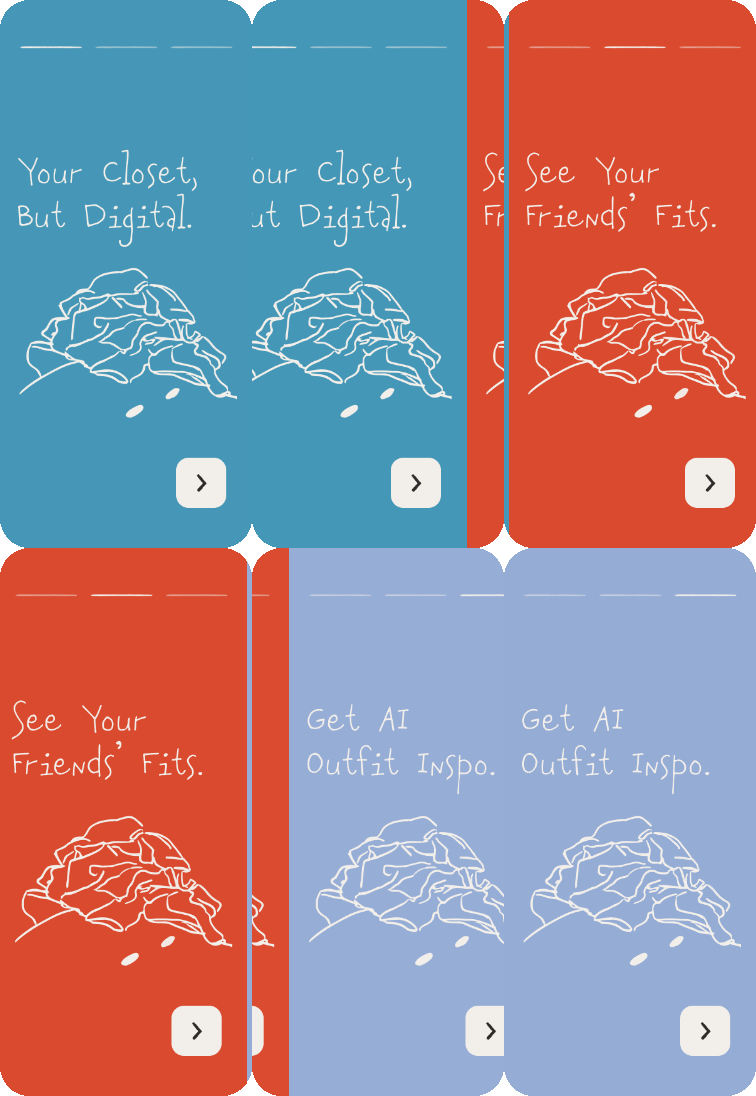
First Launch
- A quick intro screen explains what Fitty does
- Nothing is asked of the user yet
- The hand-drawn Fitty character sets the tone from the first screen
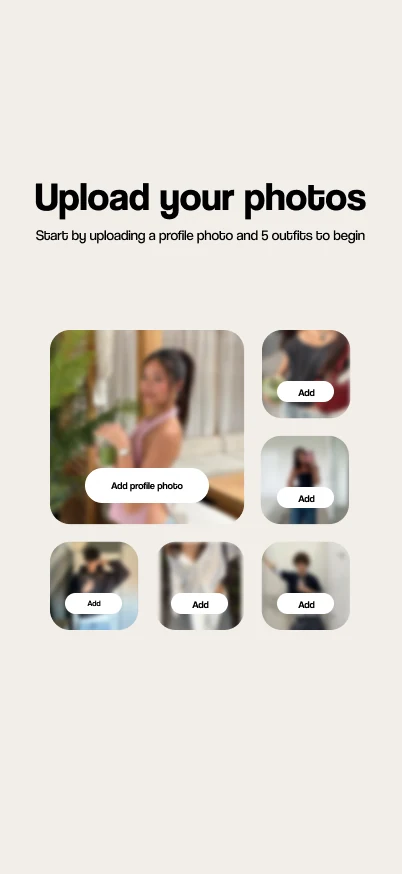
Photo Upload
- Five outfits up front
- Enough for the AI to suggest looks from the very first session
- A profile photo makes the closet feel like yours
First-Run Tutorial
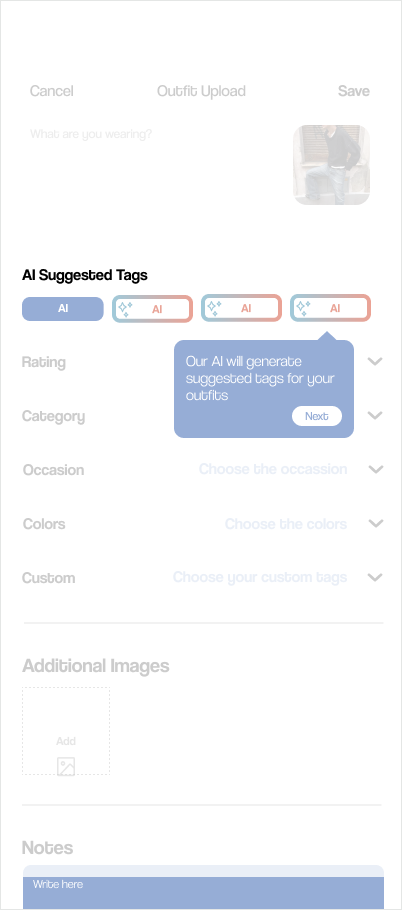
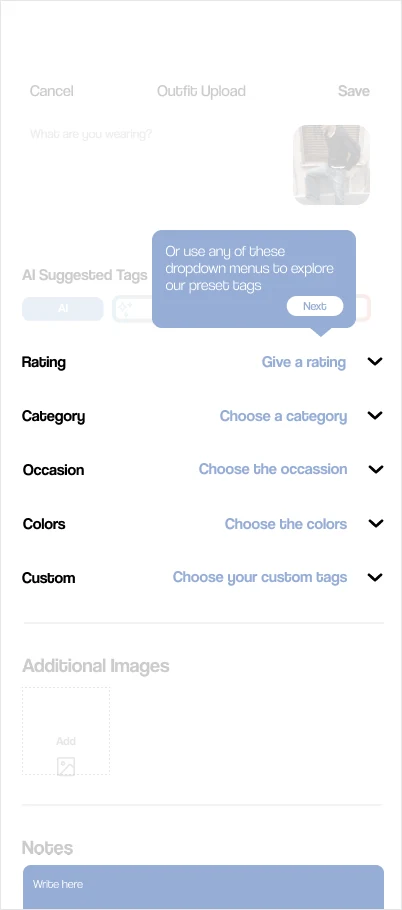
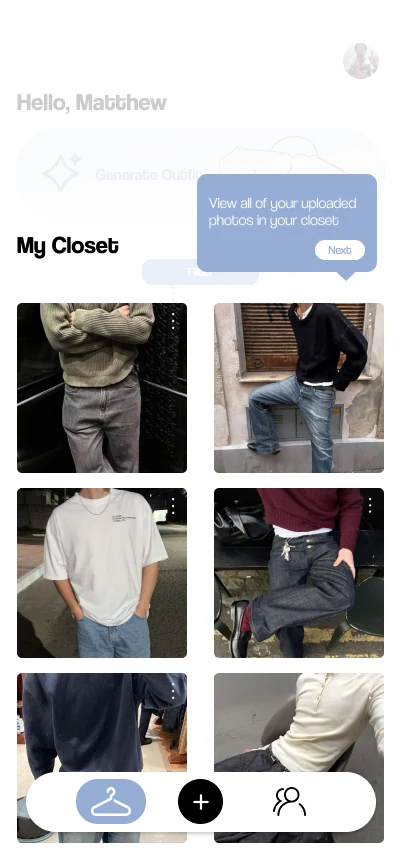
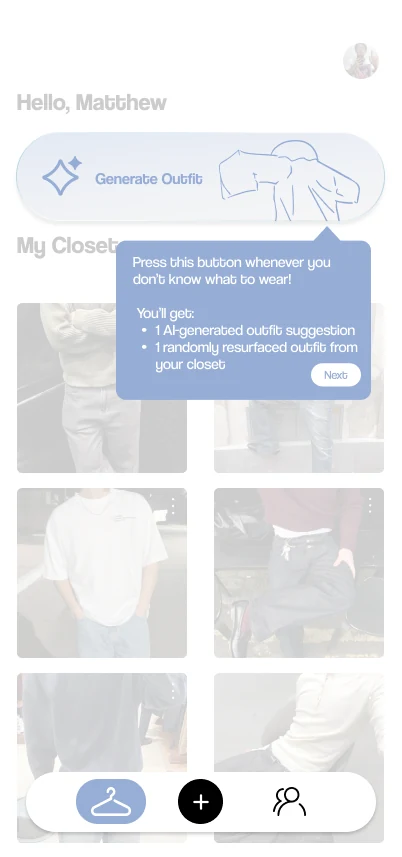
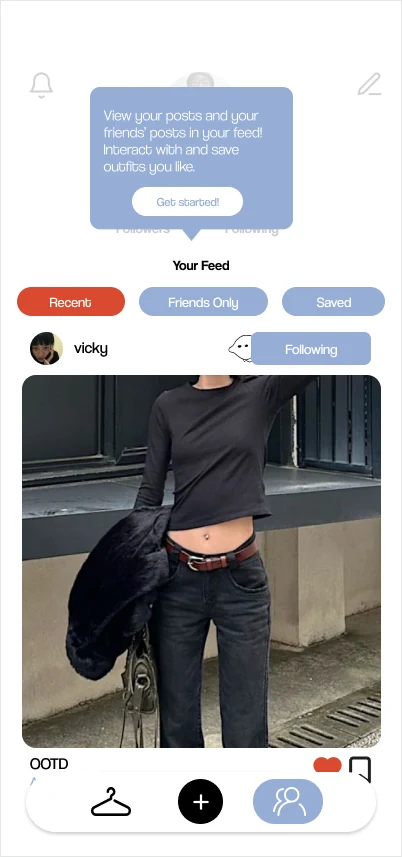
First-Run Tutorial
- Walks through the “I Don’t Know What to Wear” button, AI tagging, the feed and the closet
- Enough context to feel confident, without overwhelming new users
- Five short screens you tap through at your own pace

Closet & Tagging
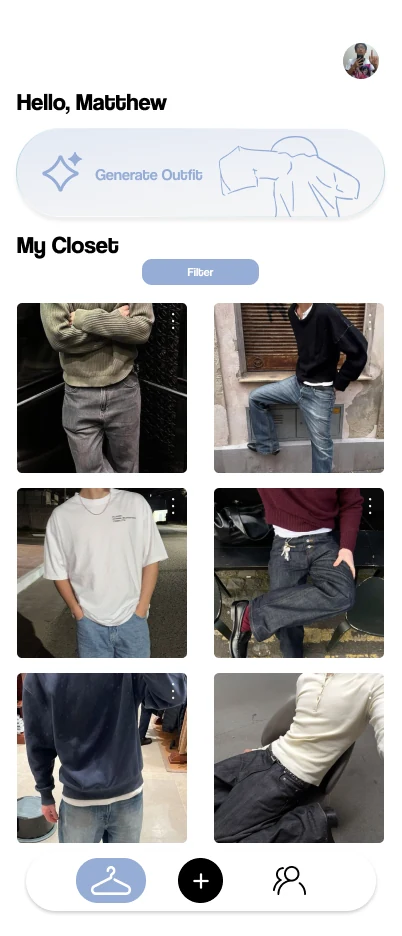
Closet
- Filters sit up top
- Browsing your wardrobe is fast
- The Generate Outfit button sits right above your clothes
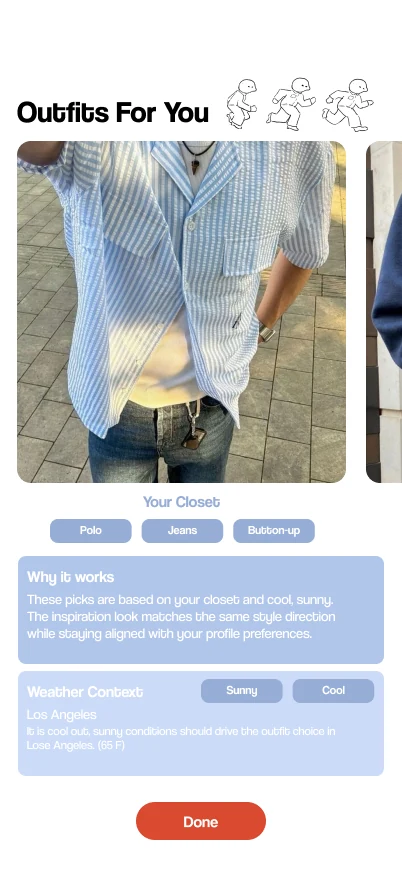
Outfits For You
- AI suggestions come first
- You see what it built for you right away
- Every look is built from clothes you already own
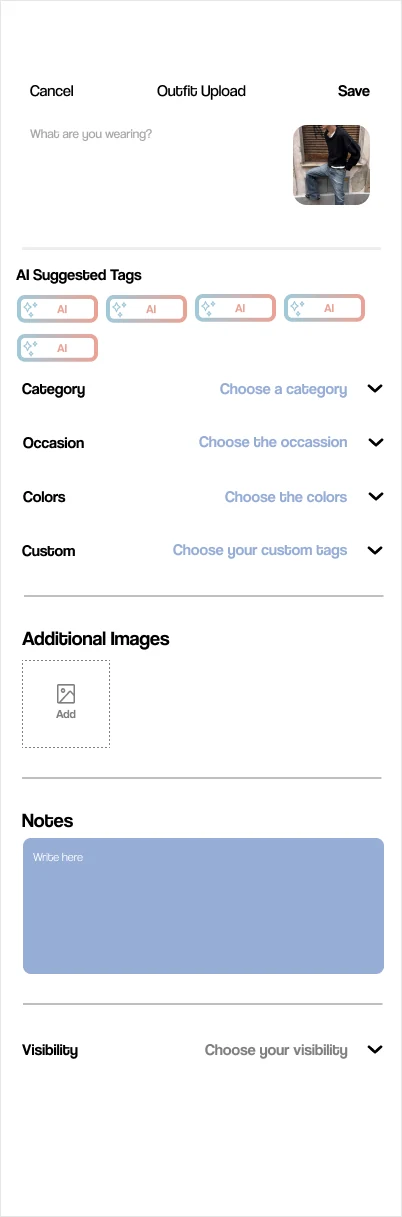
Outfit Upload
- AI-suggested tags pre-fill from the photo
- You confirm or adjust instead of typing
- Adding a new piece takes seconds, not a long form

Feed & Profile

Feed
- Friends’ outfits in one scroll
- A social layer beyond your own closet
- Tabs for Recents, Friends Only and Saved
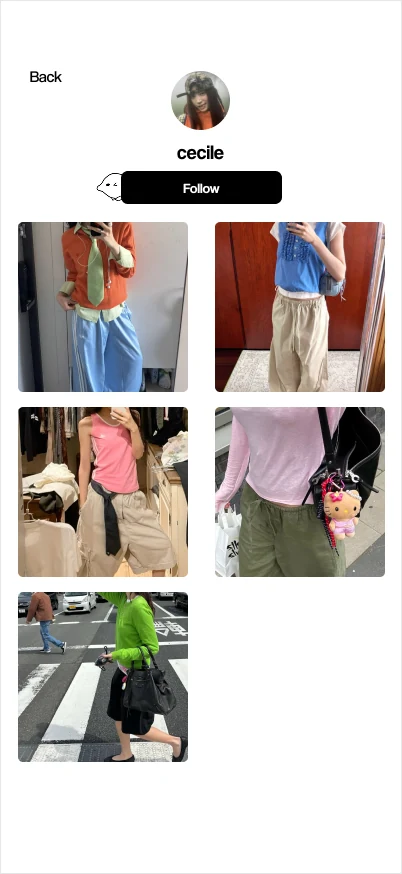
Profile
- Saved outfits and personal style
- Explorable at a glance
- Follow a friend straight from their profile
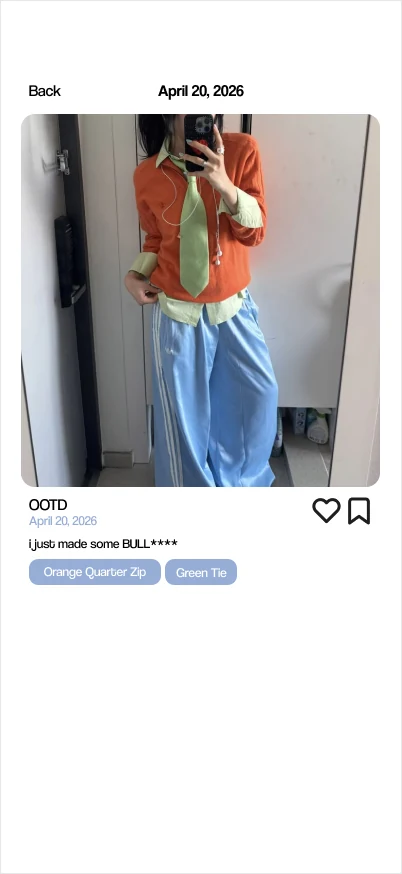
View Post
- Tap a post for the full outfit
- See its details and interact with it
- Tags name each piece in the outfit

TakeawaysWhat I’d Carry Forward
Balancing Hand-Drawn Aesthetic with Simplicity
The hand-drawn character style had to add personality without competing with the content. Every illustration got cut or kept based on whether the UI still felt breathable with it in.
Comprehensive Tagging Design
Too many tags overwhelmed users; too few made search useless. Finding a line that was thorough enough to power search but light enough not to feel like a chore shaped most of the ideation phase.
AI Feature Discoverability
The “I Don’t Know What to Wear” button had to be unmissable, not just present: if users didn’t notice it in the first few seconds, they’d never learn AI was the whole point of the app.
User Flow Intuitiveness
Every screen had to earn its place: if a step didn’t move someone closer to their closet or their next outfit, it got cut.
ConclusionDesigning End to End
Fitty taught me what it actually means to design a product end to end:
- Early decisions compound: a branding choice shapes the feel of every screen after it.
- Lo-fi thinking forces a clarity that high-fidelity work alone never would.
- Feedback should be allowed to redirect the work, not just refine it. The tagging pivot after mentor feedback was one of the most valuable moments of the project.
A huge thank you to Vicky and Sophia for leading with such clear direction, and to the entire design and dev team for the collaboration throughout.
Next steps: user testing to surface friction we missed, more AI-powered features, and bringing Fitty to the iOS App Store.